28 familiar prayers
Find a prayer in the index and read in Hindi or follow the Roman English pronunciation guide.

A little prayer, every day
A free, offline prayer app with 28 traditional Hindu prayers recited at Kainchi Dham and by devotees of Neem Karoli Baba, lovingly known as Maharajji. Read in Hindi or follow the Roman English pronunciation guide.
Create your own prayer routine, set reminders, write राम or count your Jaap. Add a Sankalp to a routine whenever you wish.
 Coming soon on iPhone
Your daily practice
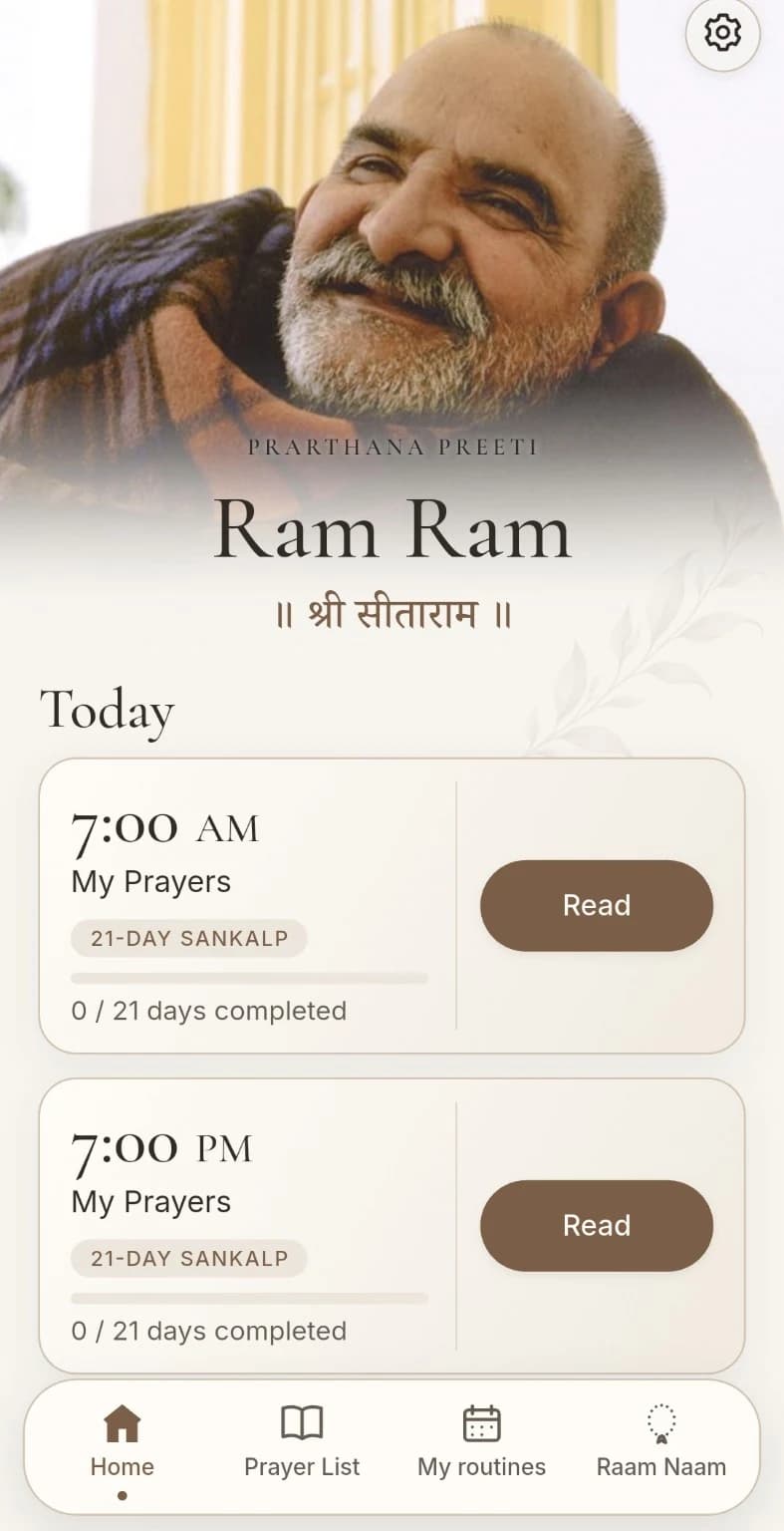
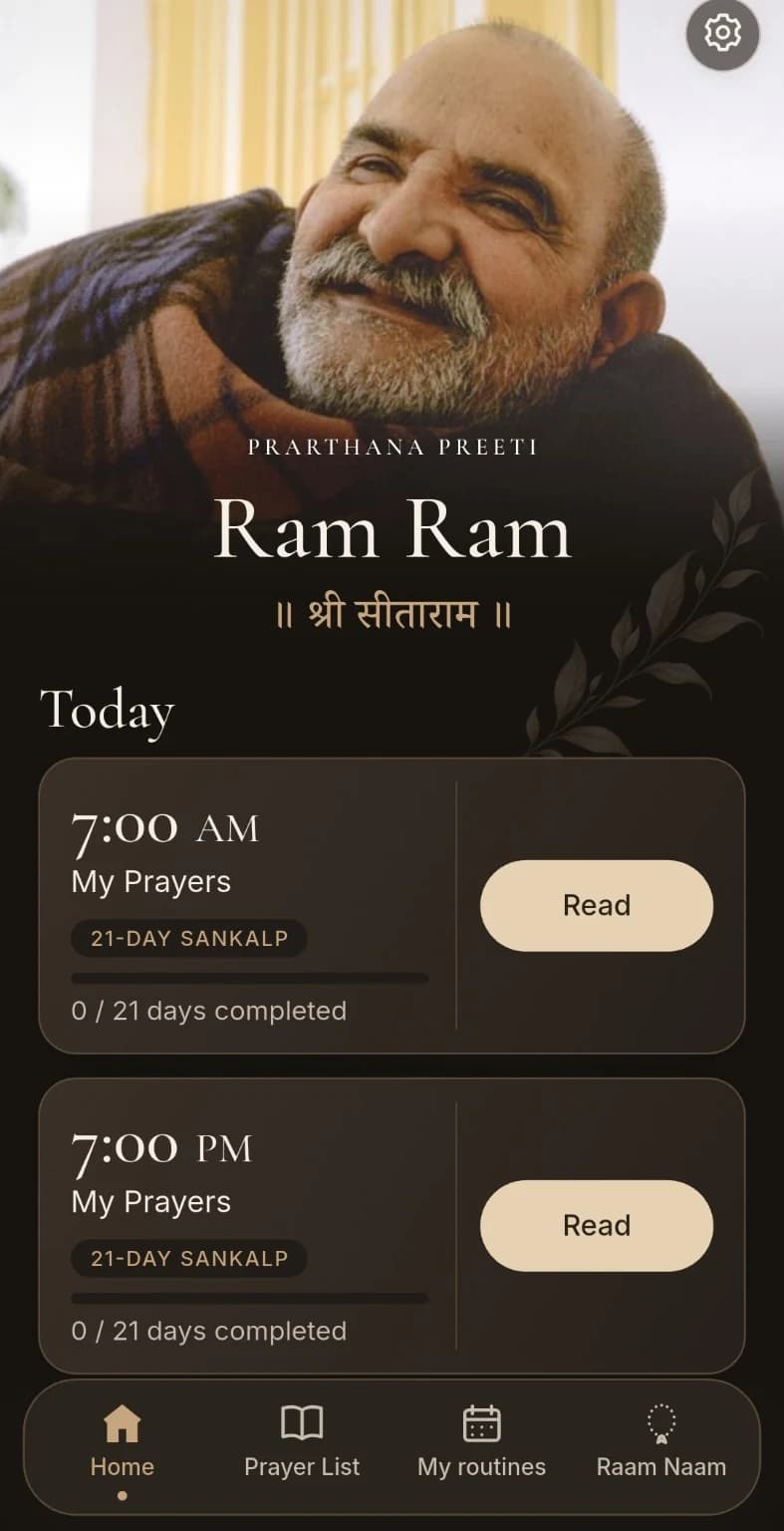
Open the app to Maharajji’s smile and the prayers you have chosen for your day. Morning and evening reminders appear as separate cards, ready whenever you are.
Choose a warm cream or deep espresso theme. Adjust the text size and weight to make reading comfortable for you.
Inside the app
Read in Hindi or Roman English, make a personal routine and explore reminders, optional Sankalp and Raam Naam. Each screen below comes from the app.
Swipe or scroll sideways to explore all eight screens.
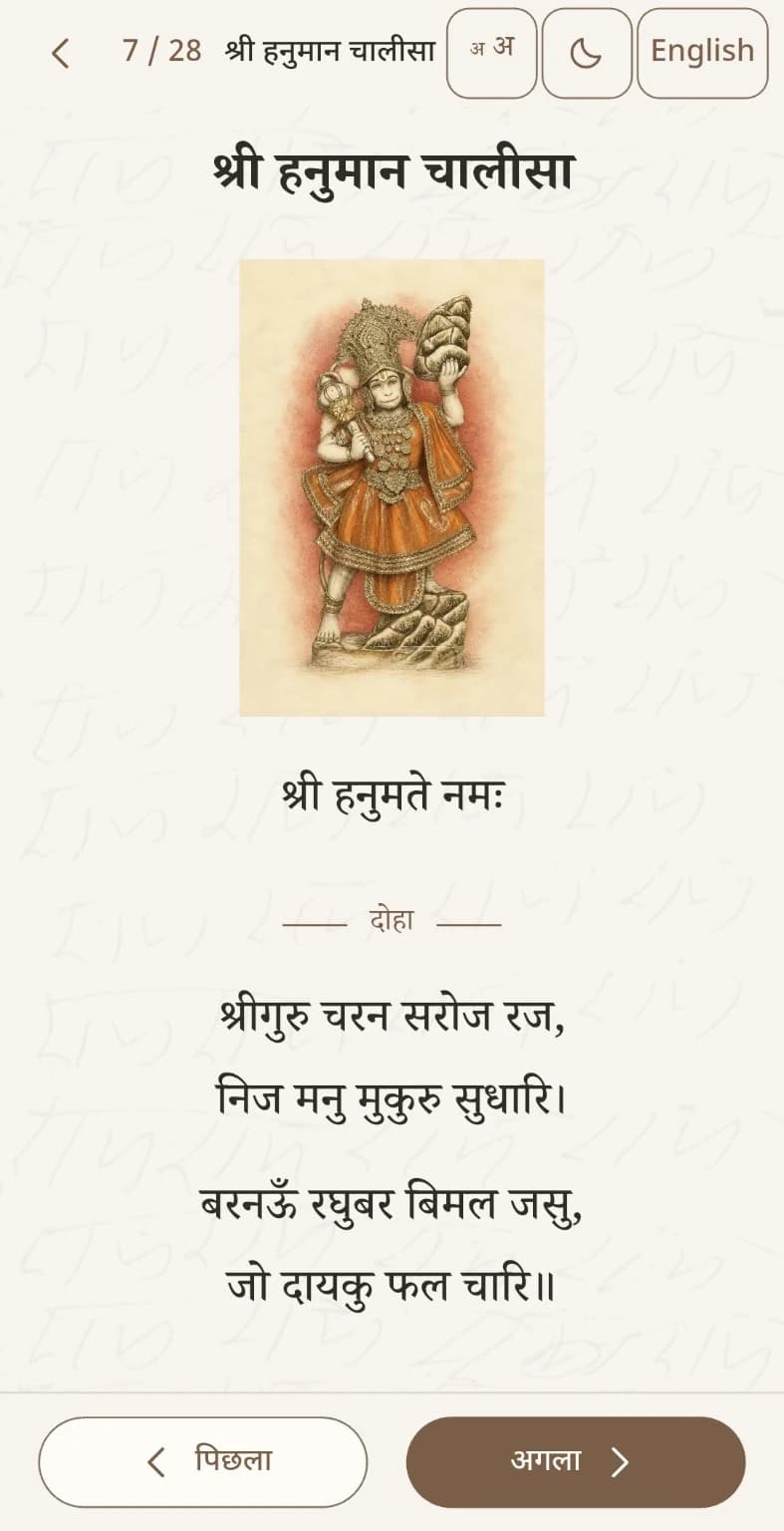
Traditional prayers in Devanagari, with clear type and space to follow each line.
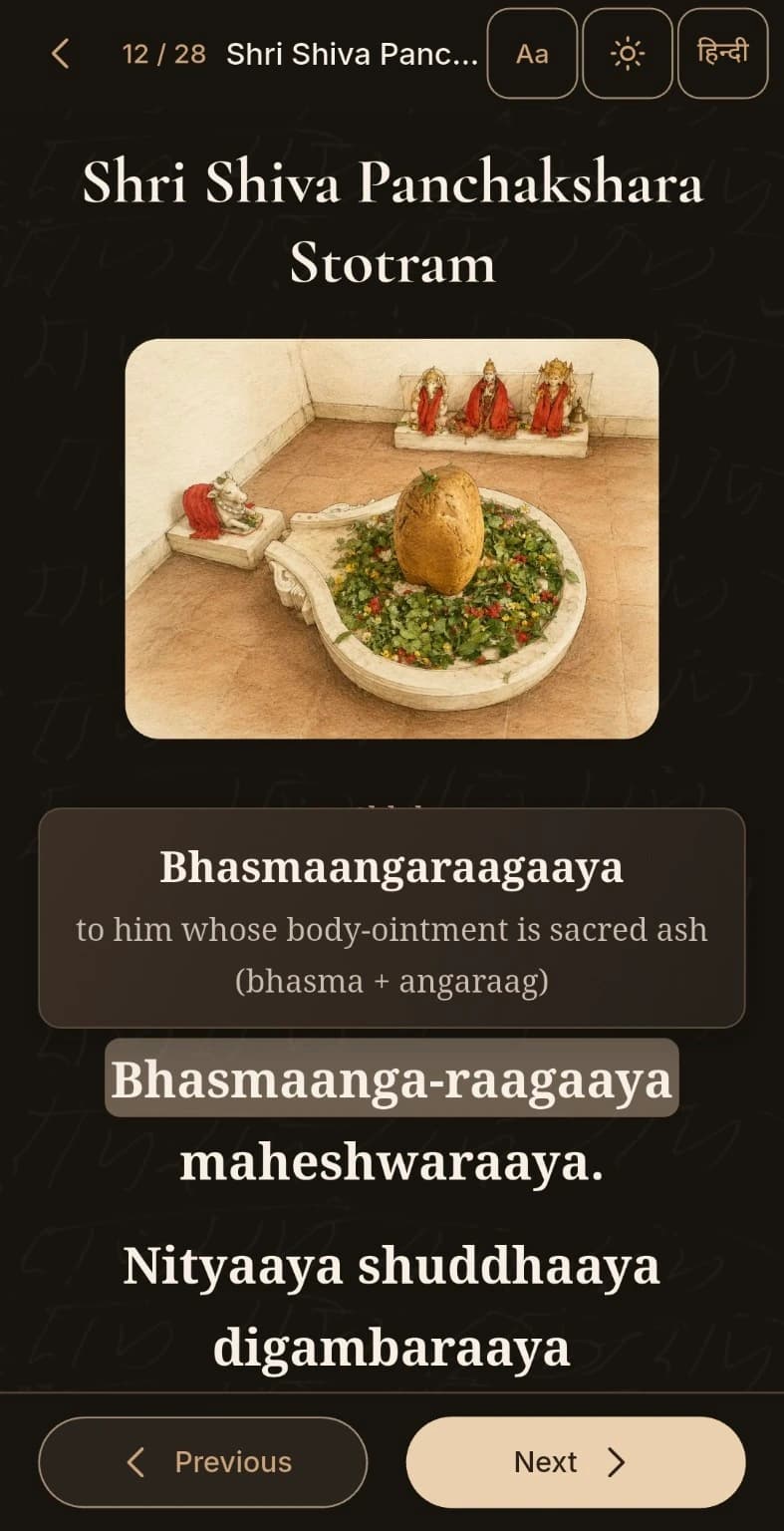
Press a difficult word while reading a prayer to see its meaning in Hindi or English, without leaving the prayer.
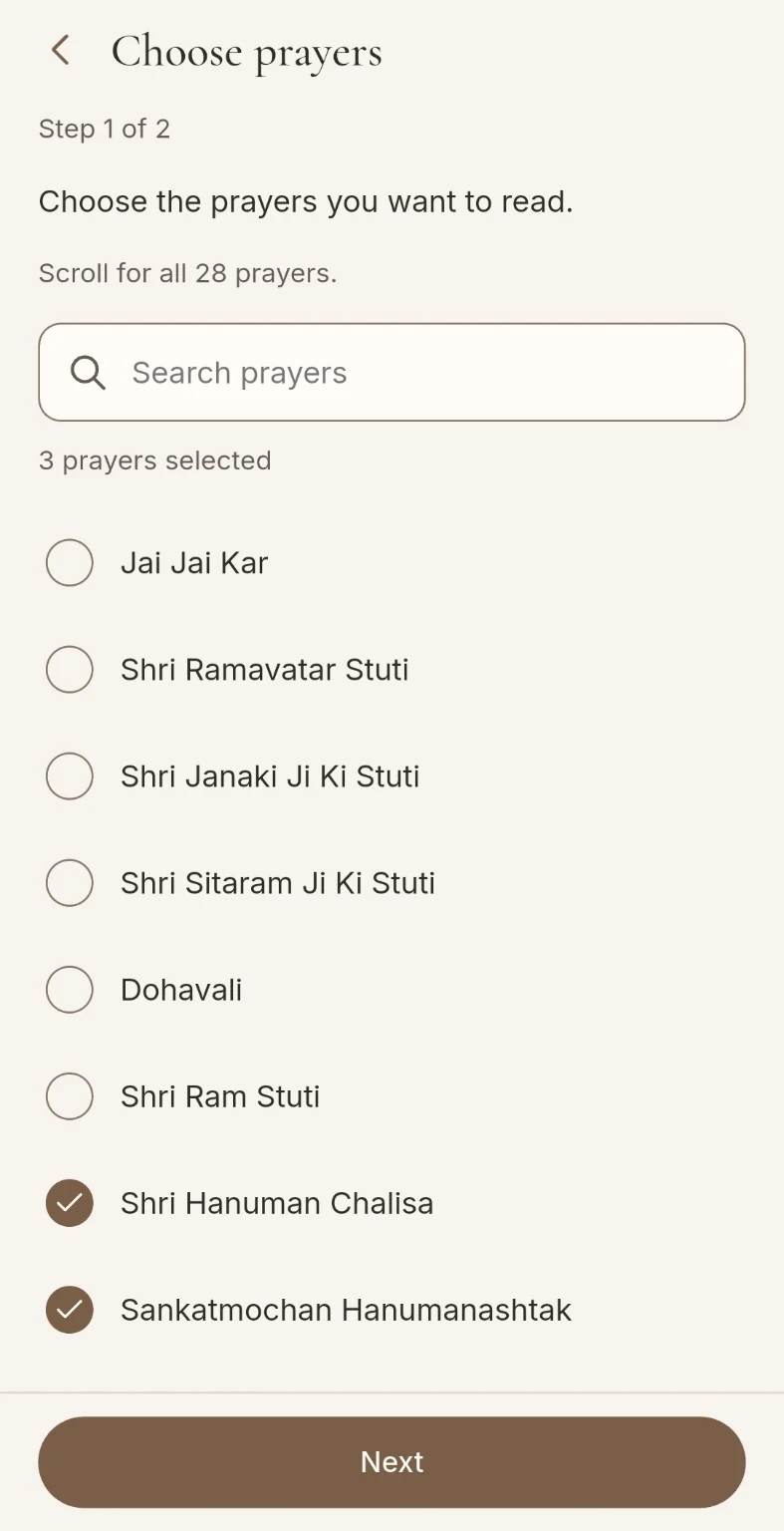
Search the 28 prayers and select those you would like in your own paath.
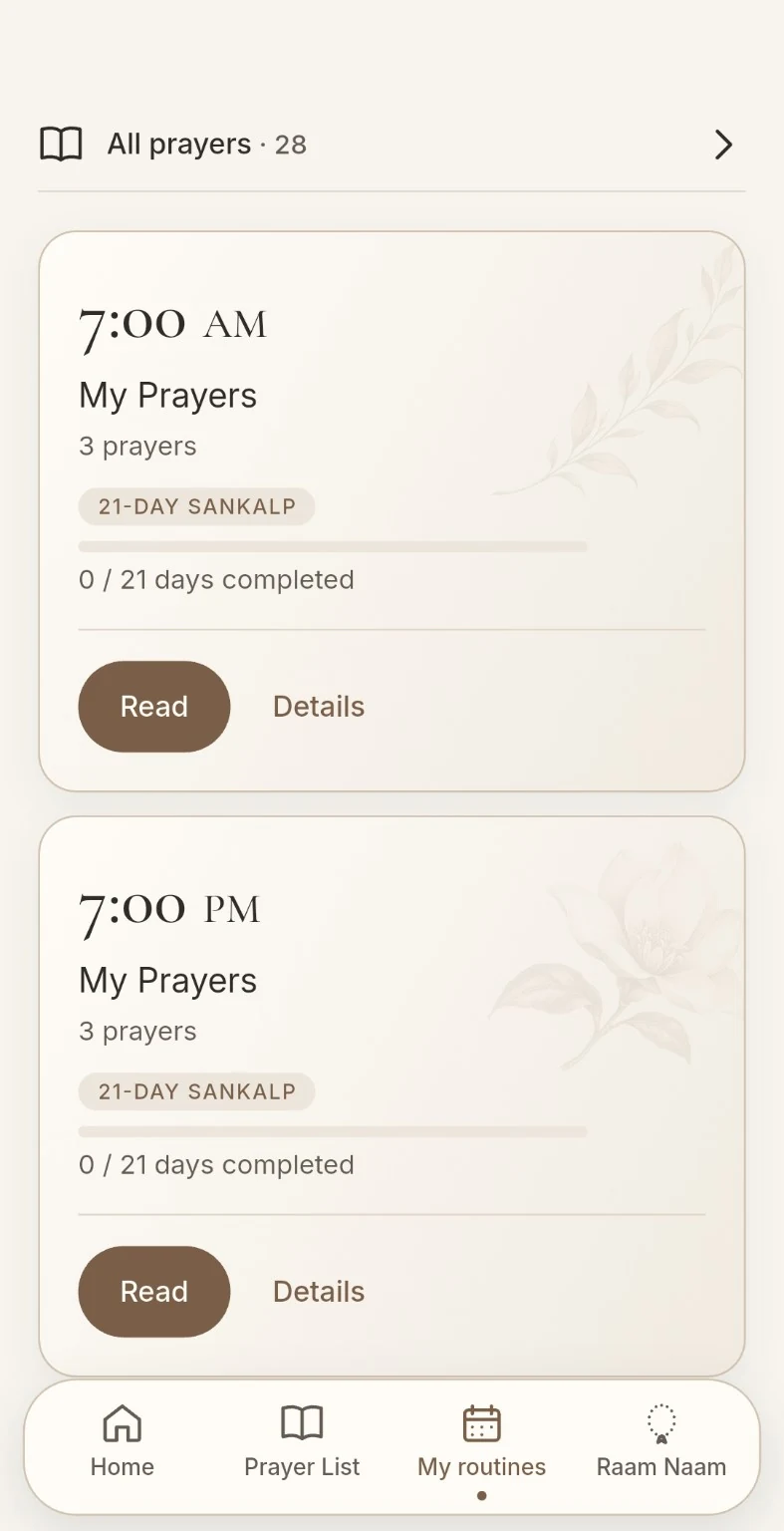
Find your saved prayers with a separate card for each reminder time.
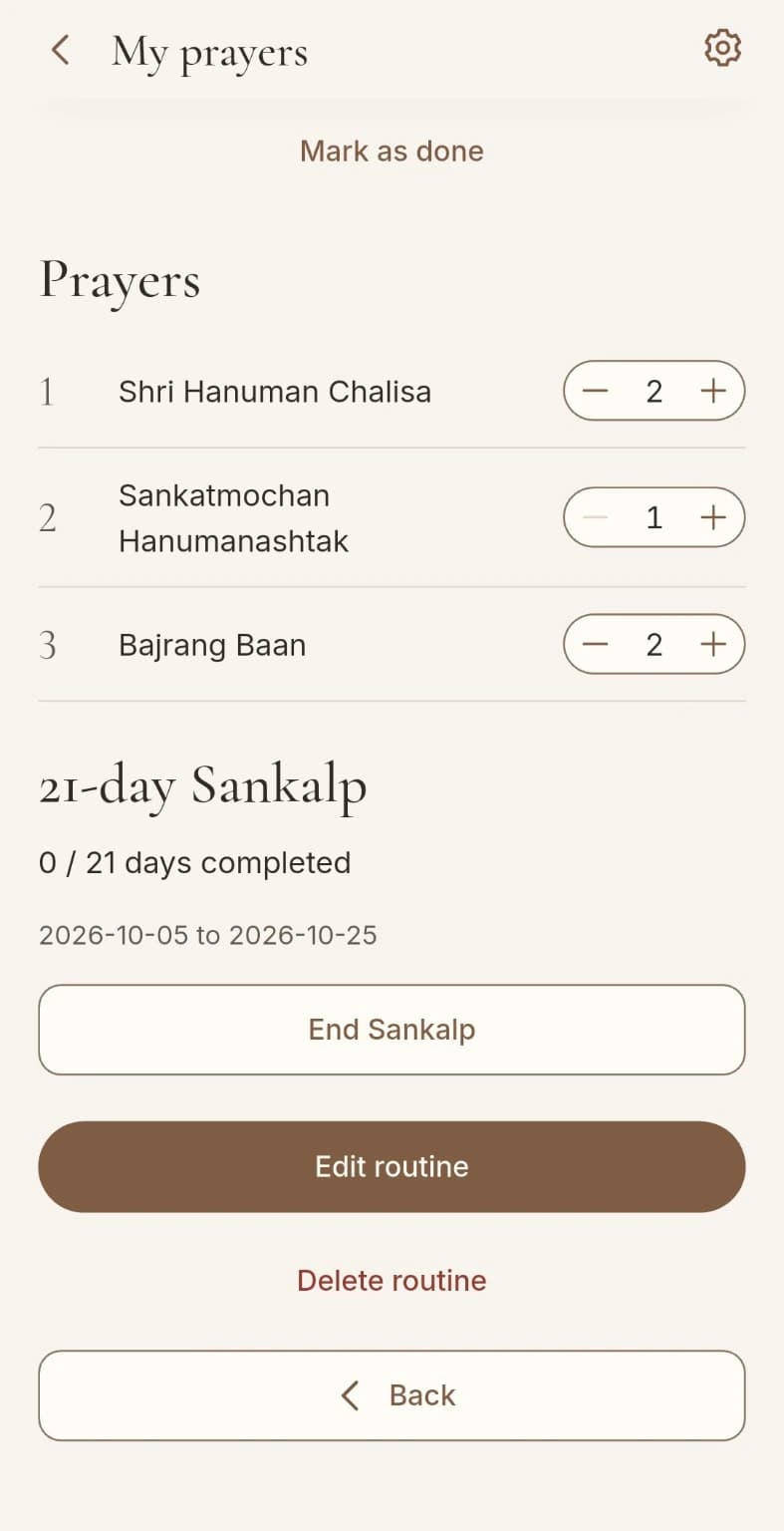
Choose how many times to read each prayer in your routine, from a short daily practice to a longer paath.
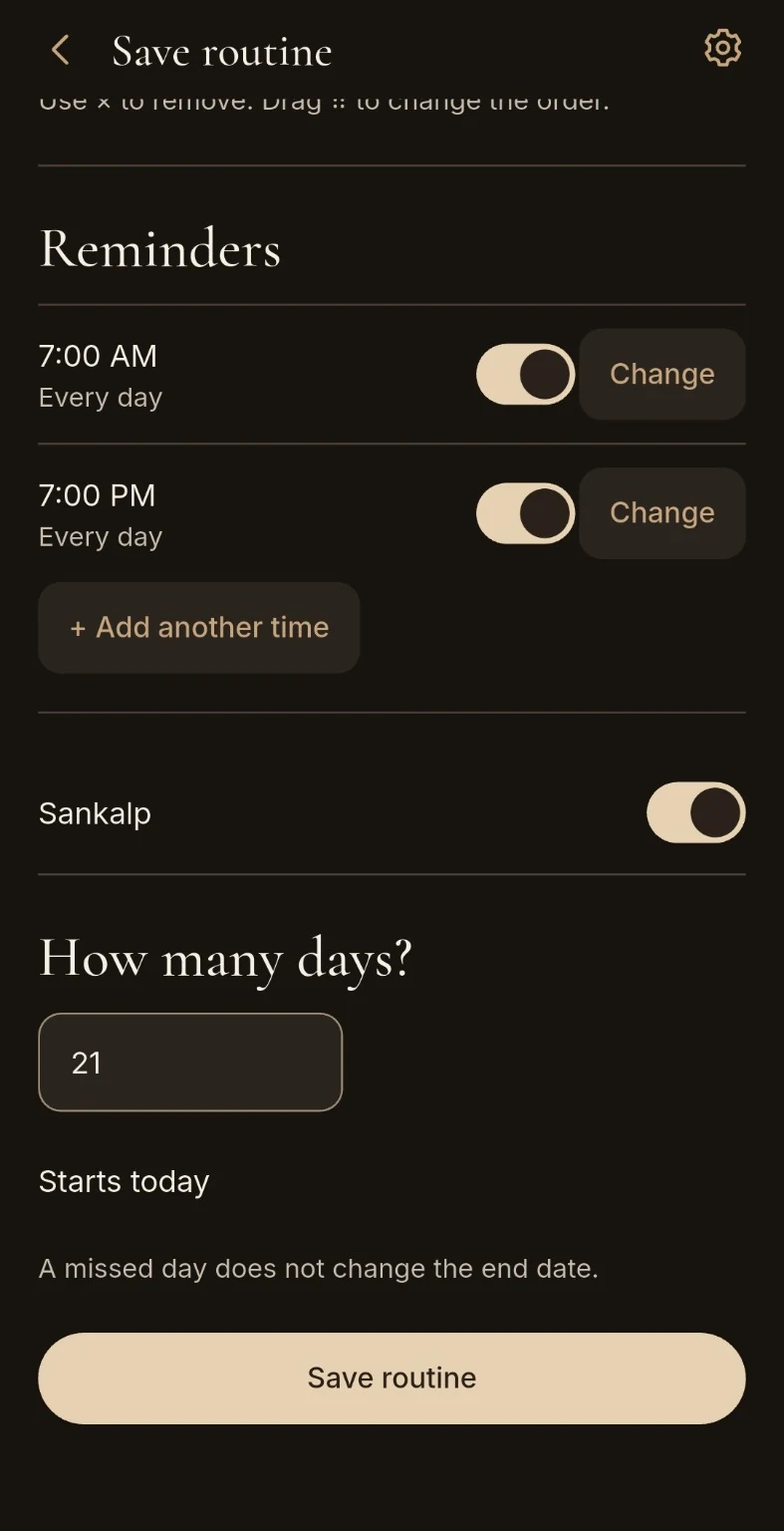
Add a Sankalp within a routine and choose your days. A missed day does not change the end date.
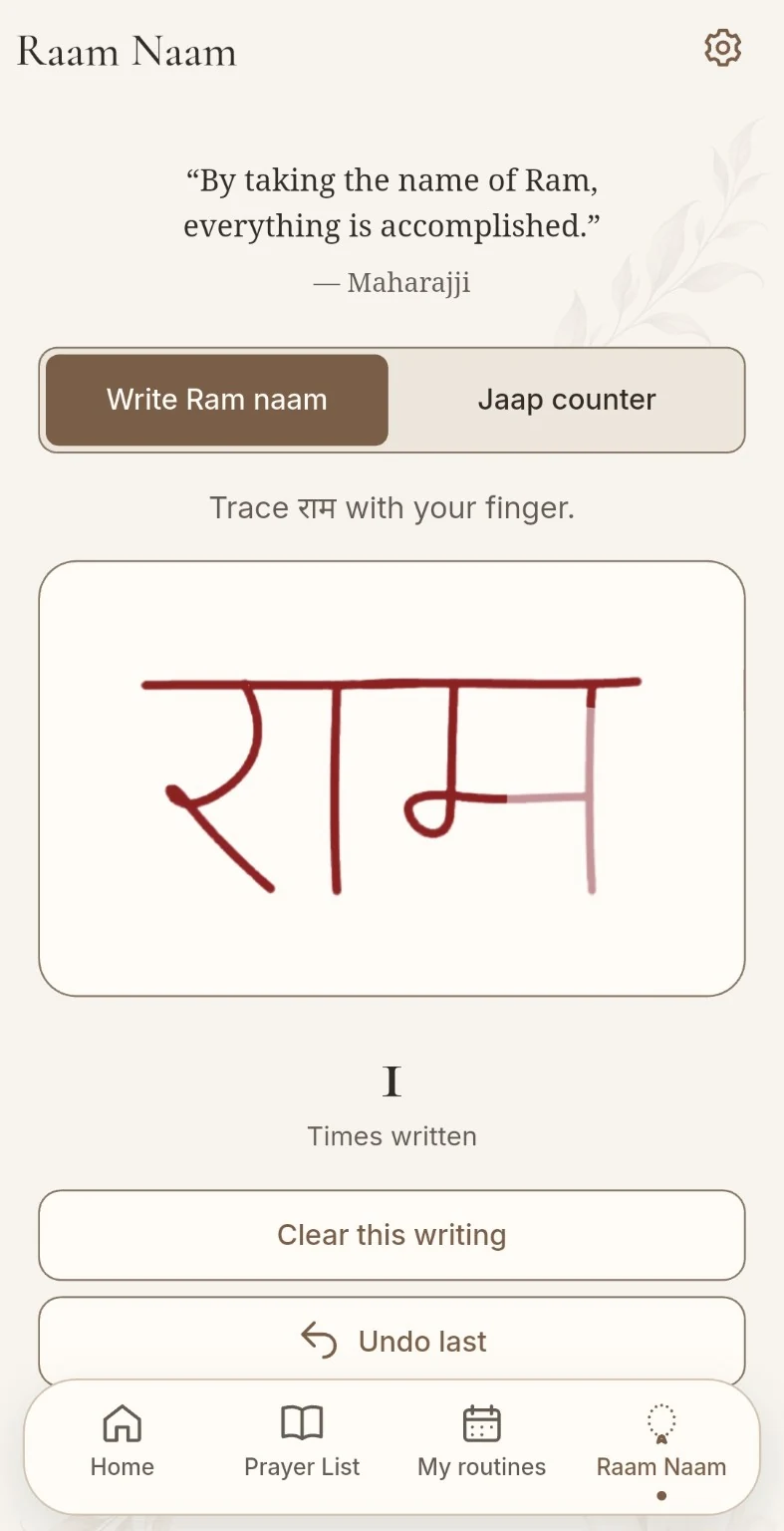
Trace राम with your finger and keep a count of the times you have written it.
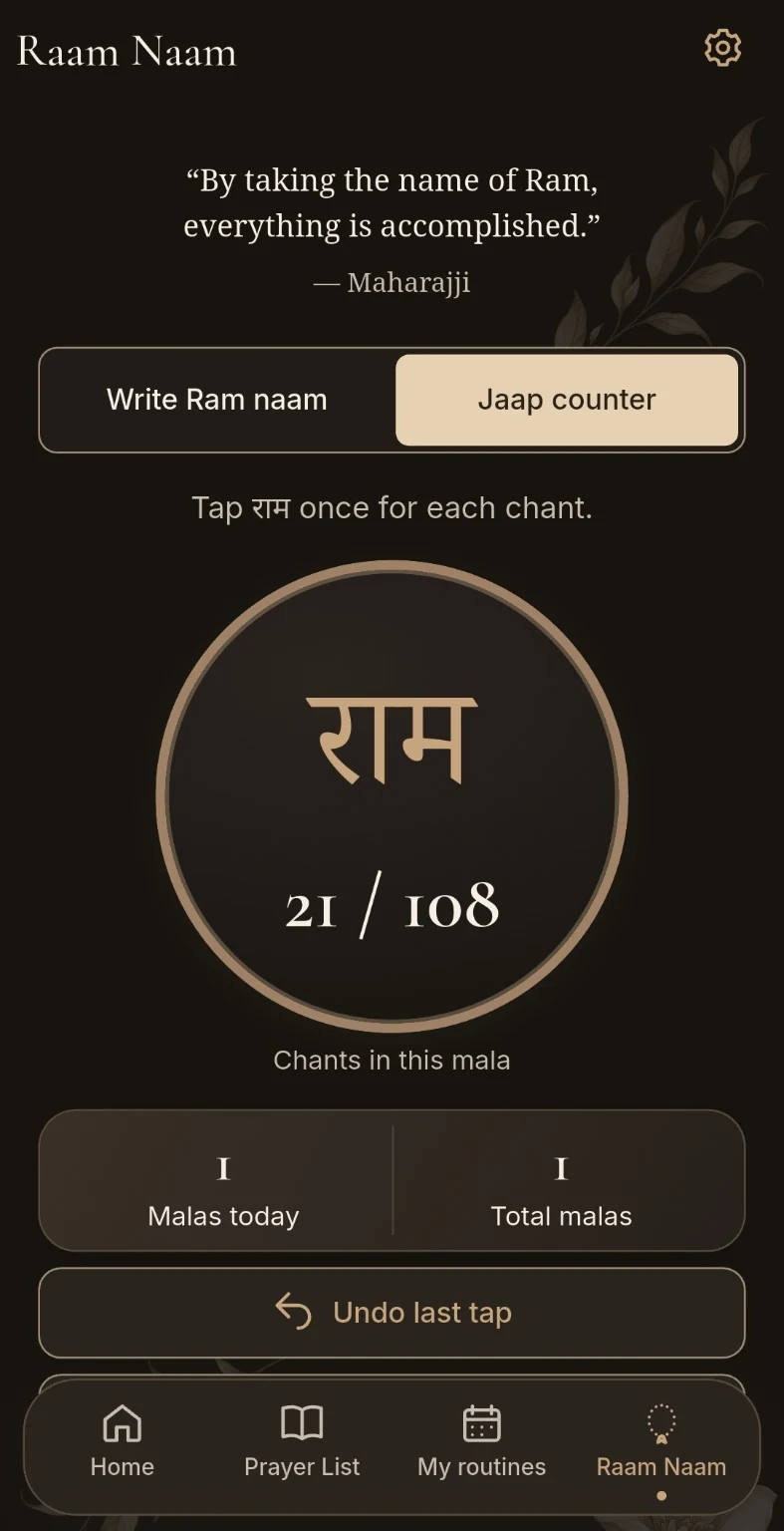
Tap for each chant, follow a mala of 108 and see today’s and total malas.
Purpose
The idea was not something I had planned for a long time. It simply came and stayed with me. I felt it was Ma and Maharajji’s way of showing me that a simple prayer app was needed. I made it with them in mind, as a small form of seva and one way I could help people keep familiar prayers close wherever they are.
Dedication
Prarthana Preeti is dedicated in loving memory of Rabboo Joshi, Maharajji’s beloved devotee, lovingly known to our family as Taatu.
His life of devotion to Sri Siddhi Ma and Maharajji continues to inspire us.
Remembering Rabboo JoshiFor daily devotion
Find a prayer in the index and read in Hindi or follow the Roman English pronunciation guide.
Press a difficult word while reading a prayer to see its meaning in Hindi or English, without leaving the prayer.
Choose your prayers, arrange their order and save your own paath to return to.
Choose how many times to read each prayer in your routine, from a short daily practice to a longer paath. Select 1, 2, 3, 5, 7, 11, 21, 27, 54 or 108 repetitions.
Add optional reminder times and choose the days that suit you. Each time has its own card on Home and in My routines.
Add a Sankalp to a routine for a number of days you choose, and see your completed days on Home.
Trace राम with your finger and keep a count of your writing in Raam Naam.
Tap for each chant, follow a mala of 108 and see today’s and total malas. Choose haptic feedback and keep the screen awake for Jaap.
Choose Comfortable, Large or Extra Large text, adjust its weight and switch between light and dark mode. The app remembers your last page.
Read without an internet connection, ads, accounts or analytics. Your preferences, routines and practice records are saved on your device.
The collection
All 28 traditional Hindu prayers and devotional texts included in the app. Among them is the Hanuman Chalisa, available for quiet offline reading in Hindi and with a Roman English pronunciation guide.
Questions
Sumati Joshi publishes the app, and Sunny Bhanot publishes the iPhone app on the App Store on her behalf. The work has the blessings, support and endorsement of Shri Kainchi Hanuman Mandir Trust, Kainchi Dham. It is not an official app operated or managed by the Trust.
Available now on Android. Download it free from Google Play. Coming soon on iPhone. The App Store link will be added here when the iPhone version is available.
Yes. The app will remain free and non-commercial, with no advertisements, subscriptions, in-app purchases, commercial sponsorships or user-data monetisation.
Read in Hindi (Devanagari) or use the Roman English pronunciation guide.
Yes. The prayer collection is available offline once the app is installed.
Yes. Choose prayers, arrange their order and save the routine with a name. You can add optional reminder times and select the days for each reminder.
No. Add Sankalp is an optional setting within a routine. If you use it, choose the number of days and follow your progress on Home. A missed day does not move the end date.
Trace राम with your finger or use the Jaap counter. The app keeps writing counts, counts chants in a mala of 108 and shows today’s and total malas.
No. There are no accounts, advertisements or analytics. Preferences, reading position, routines, reminders, writing counts, Jaap totals and optional Sankalp progress are saved on your device. We do not receive your routine or practice records. Your operating system may include local app data in backups or device transfers, depending on your settings. Read the privacy policy for storage and deletion details.
Comfortable, Large and Extra Large text sizes, a choice of text weights, light and dark modes and a remembered last-read position. Raam Naam also has optional haptic feedback and a setting to keep the screen awake for Jaap.
A little prayer, every day
Free to download on Android.
Coming soon on iPhone